简介
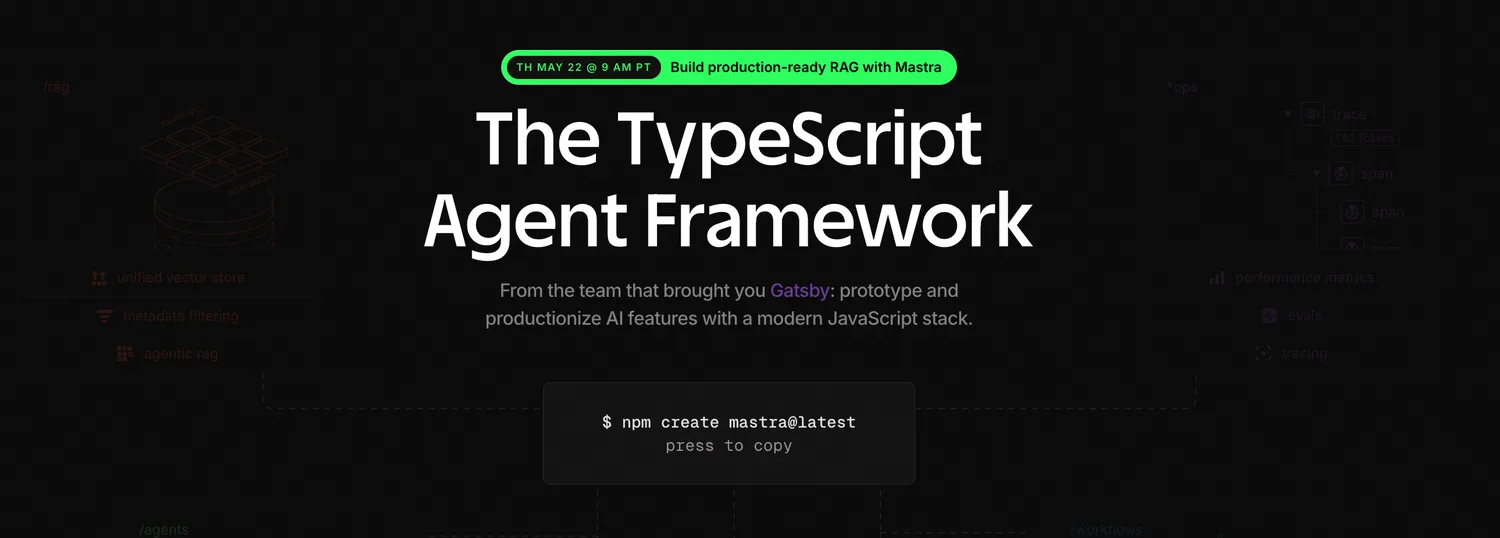
之前我们讨论过什么是 Agent,都是一些概念性的闲聊,今天介绍的 Mastra,是一个难得的(一般都是 Python 框架) TS 的 AI Agent 框架,可以让你快手上手开发一个 Agent,目前已经有 13.2K 的 Star。
前端人狂喜。
Mastra 提供了 Agent 所需的所有要素:
- 大模型:基于 Vercel AI SDK。
- Tools:工具。
- Workflow:工作流,以支持更加复杂的工作。
- RAG:检索增强生成,以帮助构建知识库。
- Memery:各种存储方式集成。
- Agent:最终的 Agent 构建。
接下来,我们按照官网的快速开始,在 Next.js 框架中接入 Mastra。
快速开始
-
初始化 Next.js 结构,参照官网即可。
-
lib 目录下 新建 mastra 目录,在这个目录下开发 Agent 相关的内容。
-
新建 tools 目录,扩展大模型能力的工具,比如建一个根据城市获取天气的工具。tools 目录下新建
weather-tool.ts文件。
import { createTool } from '@mastra/core/tools';
import { z } from 'zod';
interface WeatherResponse {
current: {
time: string;
temperature_2m: number;
apparent_temperature: number;
relative_humidity_2m: number;
wind_speed_10m: number;
wind_gusts_10m: number;
weather_code: number;
};
}
export const weatherTool = createTool({
id: 'get-weather',
description: 'Get current weather for a location',
inputSchema: z.object({
location: z.string().describe("City name"),
}),
outputSchema: z.object({
temperature: z.number(),
feelsLike: z.number(),
humidity: z.number(),
windSpeed: z.number(),
windGust: z.number(),
conditions: z.string(),
location: z.string(),
}),
execute: async ({ context }) => {
return await getWeather(context.location);
},
})
const getWeather = async (location: string) => {
const geocodingUrl = `https://geocoding-api.open-meteo.com/v1/search?name=${encodeURIComponent(location)}&count=1`;
const geocodingResponse = await fetch(geocodingUrl);
const geocodingData = await geocodingResponse.json();
if (!geocodingData.results?.[0]) {
throw new Error(`Location '${location}' not found`);
}
const { latitude, longitude, name } = geocodingData.results[0];
const weatherUrl = `https://api.open-meteo.com/v1/forecast?latitude=${latitude}&longitude=${longitude}¤t=temperature_2m,apparent_temperature,relative_humidity_2m,wind_speed_10m,wind_gusts_10m,weather_code`;
const response = await fetch(weatherUrl);
const data: WeatherResponse = await response.json();
return {
temperature: data.current.temperature_2m,
feelsLike: data.current.apparent_temperature,
humidity: data.current.relative_humidity_2m,
windSpeed: data.current.wind_speed_10m,
windGust: data.current.wind_gusts_10m,
conditions: getWeatherCondition(data.current.weather_code),
location: name,
};
};
function getWeatherCondition(code: number): string {
const conditions: Record<number, string> = {
0: "Clear sky",
1: "Mainly clear",
2: "Partly cloudy",
3: "Overcast",
45: "Foggy",
48: "Depositing rime fog",
51: "Light drizzle",
53: "Moderate drizzle",
55: "Dense drizzle",
56: "Light freezing drizzle",
57: "Dense freezing drizzle",
61: "Slight rain",
63: "Moderate rain",
65: "Heavy rain",
66: "Light freezing rain",
67: "Heavy freezing rain",
71: "Slight snow fall",
73: "Moderate snow fall",
75: "Heavy snow fall",
77: "Snow grains",
80: "Slight rain showers",
81: "Moderate rain showers",
82: "Violent rain showers",
85: "Slight snow showers",
86: "Heavy snow showers",
95: "Thunderstorm",
96: "Thunderstorm with slight hail",
99: "Thunderstorm with heavy hail",
};
return conditions[code] || "Unknown";
}- mastra 目录下新建 agents 目录,agent 目录下新建
weather-agent.ts文件。
可以看到这个天气 Agent 主要功能就是:如果用户提问天气相关的内容,模型则调用上述工具获取天气。
import { Agent } from '@mastra/core/agent';
import { weatherTool } from '../tools/weather-tool';
import { createAIModel } from '@/lib/utils';

export const weatherAgent = new Agent({
  name: 'Weather Agent',
  instructions: `You are a helpful weather assistant that provides accurate weather information.

Your primary function is to help users get weather details for specific locations. When responding:
- Always ask for a location if none is provided
- If the location name isn’t in English, please translate it
- Include relevant details like humidity, wind conditions, and precipitation
- Keep responses concise but informative

Use the weatherTool to fetch current weather data.`,
  model: createAIModel('gpt-4o-mini-0718'),
  tools: { weatherTool },
});
模型使用的 Vercel AI SDK,如果你是用的 OpenAI 或者 Claude 等模型,可以直接使用 @ai-sdk/openai 这些包。如果你和我一样,使用的服务商统一包装的兼容 OpenAI 的接口,则可以这样:
import { createOpenAICompatible } from '@ai-sdk/openai-compatible';

export const createAIModel = (modelName: string) => {
  return createOpenAICompatible({
    name: 'custom model',
    baseURL: 'https://your-base-url/api/openai/v1/',
    // api key 最好配置到 .env 文件中
    apiKey: 'your-api-key'
  })(modelName);
}
然后我们建一个 agent 的入口文件 mastra/index.ts:
import { Mastra } from '@mastra/core';
import { PinoLogger } from '@mastra/loggers';
import { LibSQLStore } from '@mastra/libsql';
import { weatherAgent } from './agents/weather-agent';

export const mastra = new Mastra({
  agents: { weatherAgent },
  storage: new LibSQLStore({
    // stores telemetry, evals, ... into memory storage, if it needs to persist, change to file:../mastra.db
    url: ':memory:',
  }),
  logger: new PinoLogger({
    name: 'Mastra',
    level: 'info',
  }),
});- 一个简单的 Agent 就完成了,我们开发一个接口测试一下:
在 app 目录下新建 /(chat)/api/chat/route.ts:
import { mastra } from '@/lib/mastra';
import { NextResponse } from 'next/server';

export async function POST(req: Request) {
  const { city } = await req.json();
  const agent = mastra.getAgent('weatherAgent');

  const result = await agent.stream(`What's the weather like in ${city}?`);

  return result.toDataStreamResponse();
}- 使用 Postman 访问 http://localhost:3000/api/talk 接口测试一下:
流式返回了天气信息!!
f:{"messageId":"msg-xZkgBuDjmIEtRWqu0wB6kNFw"}
9:{"toolCallId":"call_iQt37jB3orK3HhY0ZGBWUClB","toolName":"weatherTool","args":{"location":"New York"}}
a:{"toolCallId":"call_iQt37jB3orK3HhY0ZGBWUClB","result":{"temperature":9.2,"feelsLike":6.5,"humidity":88,"windSpeed":13.2,"windGust":36.7,"conditions":"Overcast","location":"New York"}}
e:{"finishReason":"tool-calls","usage":{"promptTokens":99,"completionTokens":4},"isContinued":false}
f:{"messageId":"msg-Bhwx7fT1X0zQTxBnKAeb00xi"}
0:"The"
0:" current"
0:" weather"
0:" in"
0:" New"
0:" York"
0:" is"
0:" as"
0:" follows"
0:":\n\n"
0:"-"
0:" **"
0:"Temperature"
0:":**"
0:" "
0:"9"
0:"."
0:"2"
0:"°C"
0:" ("
0:"Feels"
0:" like"
0:" "
0:"6"
0:"."
0:"5"
0:"°C"
0:")\n"
0:"-"
0:" **"
0:"Humidity"
0:":**"
0:" "
0:"88"
0:"%\n"
0:"-"
0:" **"
0:"Wind"
0:" Speed"
0:":**"
0:" "
0:"13"
0:"."
0:"2"
0:" km"
0:"/h"
0:"\n"
0:"-"
0:" **"
0:"Wind"
0:" Gust"
0:"s"
0:":**"
0:" "
0:"36"
0:"."
0:"7"
0:" km"
0:"/h"
0:"\n"
0:"-"
0:" **"
0:"Conditions"
0:":**"
0:" Over"
0:"cast"
0:"\n\n"
0:"If"
0:" you"
0:" need"
0:" more"
0:" details"
0:" or"
0:" information"
0:" about"
0:" another"
0:" location"
0:","
0:" feel"
0:" free"
0:" to"
0:" ask"
0:"!"
e:{"finishReason":"stop","usage":{"promptTokens":145,"completionTokens":88},"isContinued":false}
d:{"finishReason":"stop","usage":{"promptTokens":244,"completionTokens":92}}- 如果有更复杂的需求,可以尝试 Workflow ,使用不同的模型处理多个任务,最终组合称为一个更好的 Agent。这里就不展开了。
写在后面
很欣喜能看到一个 TS 的 Agent 框架,而且从文档代码来看,完成度和质量都很高。
但我们应该意识到,除了 Agent 开发工具,更重要的是找到合适的落地场景。